Form 12BB
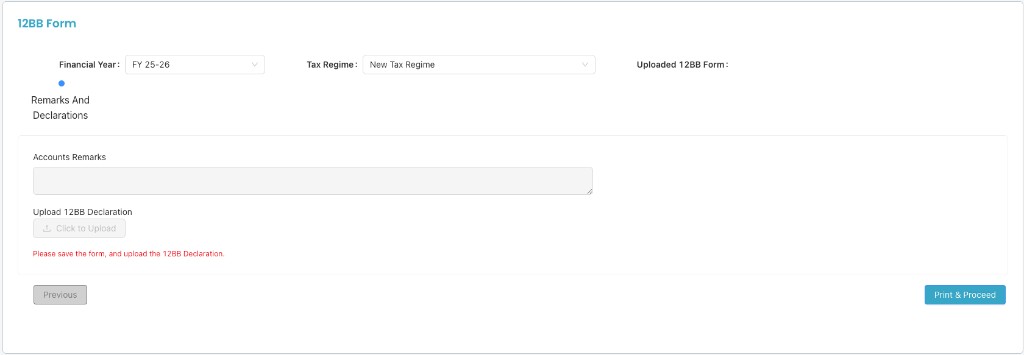
Submit and manage Form 12BB for tax deduction claims and declarations. Go to Dashboard → HRMS → Form 12BB (Payroll). Select Financial Year and Tax Regime (New or Old), then complete House Rent Allowance, Deduction of Interest, Deductions Under Chapter VI-A, and Remarks and Declarations.
Path
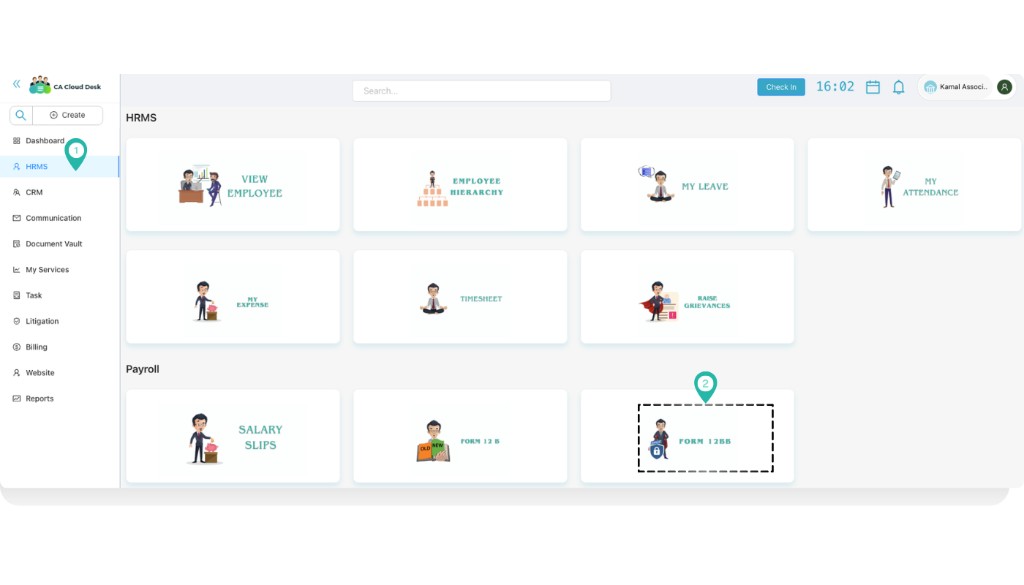
From the Dashboard, select HRMS in the left navigation. On the HRMS page, under the Payroll section, select the Form 12BB tile to open the form. You can also open Form 12BB from My Expense (e.g. < My Expense) if your organisation links it there.

Overview and tax regime
On the Form 12BB screen you can set:
- Financial Year — e.g. FY 25-26 (dropdown).
- Tax Regime — Choose New Tax Regime or Old Tax Regime from the dropdown. This determines how your tax and deductions are calculated.
- Uploaded 12BB Form — Once saved, you can upload or view the 12BB declaration here.
The form has four sections shown in the progress stepper: House Rent Allowance, Deduction Of Interest, Deductions Under Chapter VI-A, and Remarks And Declarations. Complete each section in order.
Old regime

House Rent Allowance
In the House Rent Allowance section you enter monthly rent details and annual summary, then upload supporting documents.
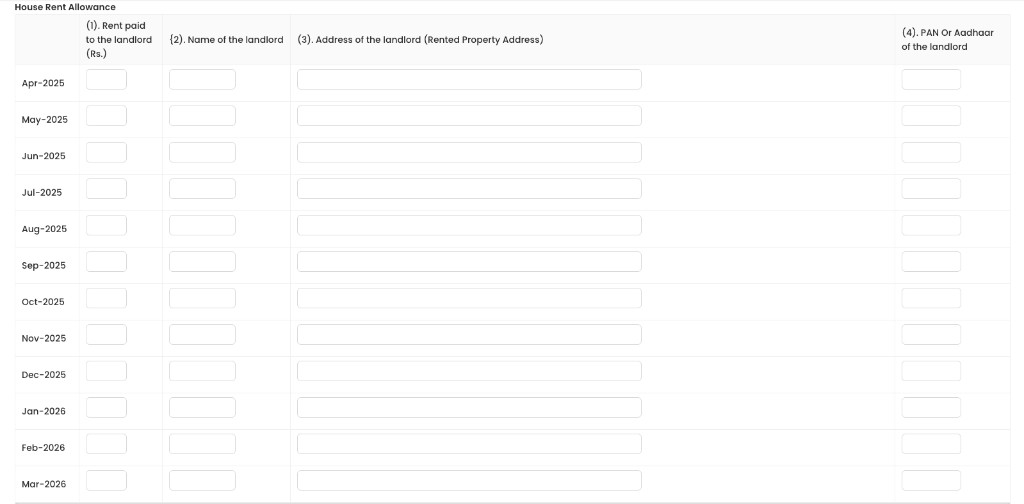

After filling the table and uploads, click Next to move to Deduction Of Interest (and then other sections).
Other sections
After House Rent Allowance, complete:
- Deduction Of Interest — Enter interest on home loan or other eligible interest claims as per the form.
- Deductions Under Chapter VI-A — Enter deductions under section 80C, 80CCC, 80CCD(1), 80D, 80DD, 80DDB, 80E, 80G, etc., as applicable.
Use Next and Previous to move between sections. When all sections are done, you will reach Remarks And Declarations.
Remarks and Declarations
In the final step, add any accounts remarks and upload the signed 12BB declaration.
New regime
If you select New Tax Regime, you have to fill the following details.